How To Request a SUMS Shop Product Amendment
If you need to make changes to an existing product in your Student Group Shop, you can request an amendment through the Union's support ticket system.
To help the Activities Team identify your product and process your request as efficiently as possible, please follow the steps below.
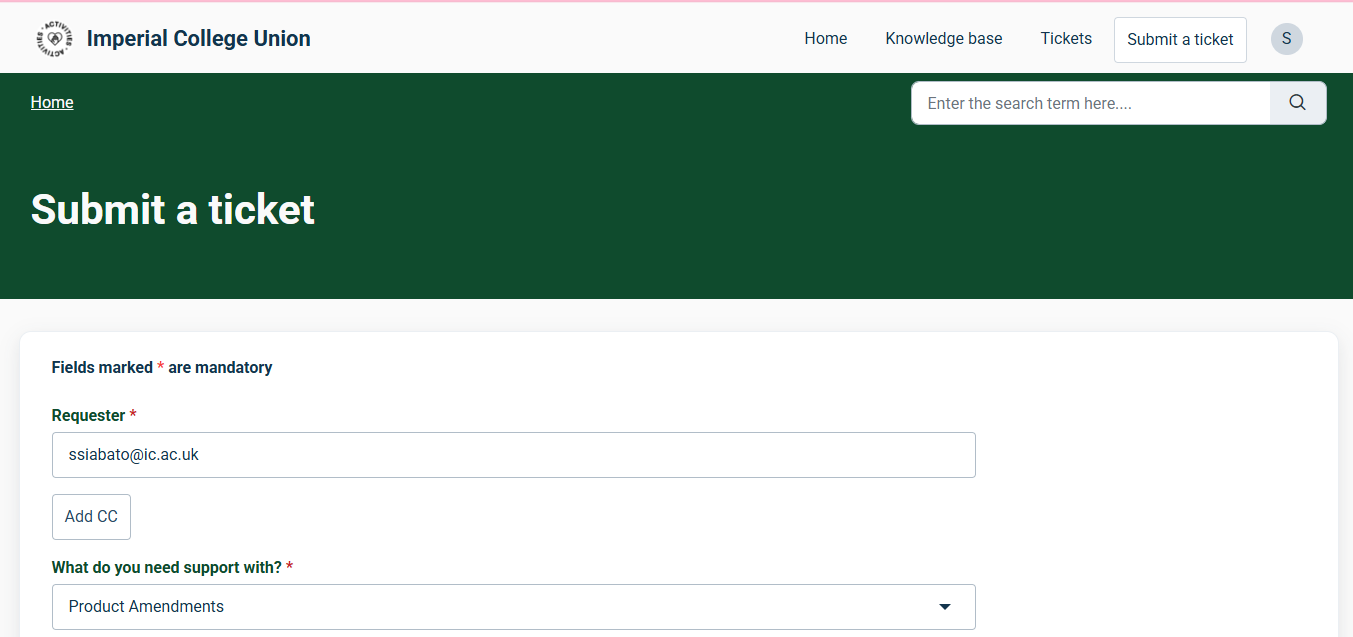
Step 1: Submit a Support Ticket
When submitting your support ticket, under ‘What do you need support with?’, select ‘Product Amendment’.
This ensures your request is directed to the correct queue and helps us identify and review your amendment more efficiently.
Step 2: Include Your Product Details
Please include the following information in your ticket:
- Exact Product Name: As it appears on your SUMS Dashboard.
- Application ID: The ID displayed next to the product name on your SUMS Dashboard.
- Product ID: The separate ID displayed next to the product name under the ‘All Products’ tab.
- Requested Amendment: Clearly explain what you would like changed, including the current details and the proposed changes.
Important: Your Application ID and Product ID are different. Please include both so we can locate the correct product.
Step 3: Explain Your Requested Changes
Be as specific as possible about what needs updating.
For example:
Product Name: Ferret Fanciers Social Ticket
Application ID: 1234
Product ID: 5678
Requested Amendment: Please increase the ticket capacity from 50 to 70 tickets.
Providing the current and proposed details helps us process your request accurately and reduces the need for further clarification.
Need Further Support?
Check out the rest of our knowledge base articles or submit a ticket to the Activities Team.
Was this article helpful?
That’s Great!
Thank you for your feedback
Sorry! We couldn't be helpful
Thank you for your feedback
Feedback sent
We appreciate your effort and will try to fix the article